LiveDeck · Tutorial 2 · 1:27
Add an NDI source on another subnet
When a camera or encoder sits on another subnet or VLAN, NDI can’t find it by itself. Type its IP address once in Settings and it shows up like any other source — no Discovery Server needed. Shown on iPad; Android differences are noted under every step.
- LiveDeck on iPad, iPhone or Android
- An NDI source on another subnet
- Its IP address (routable from your device)
- About a minute
 Step 1 of 5
Nothing in the list
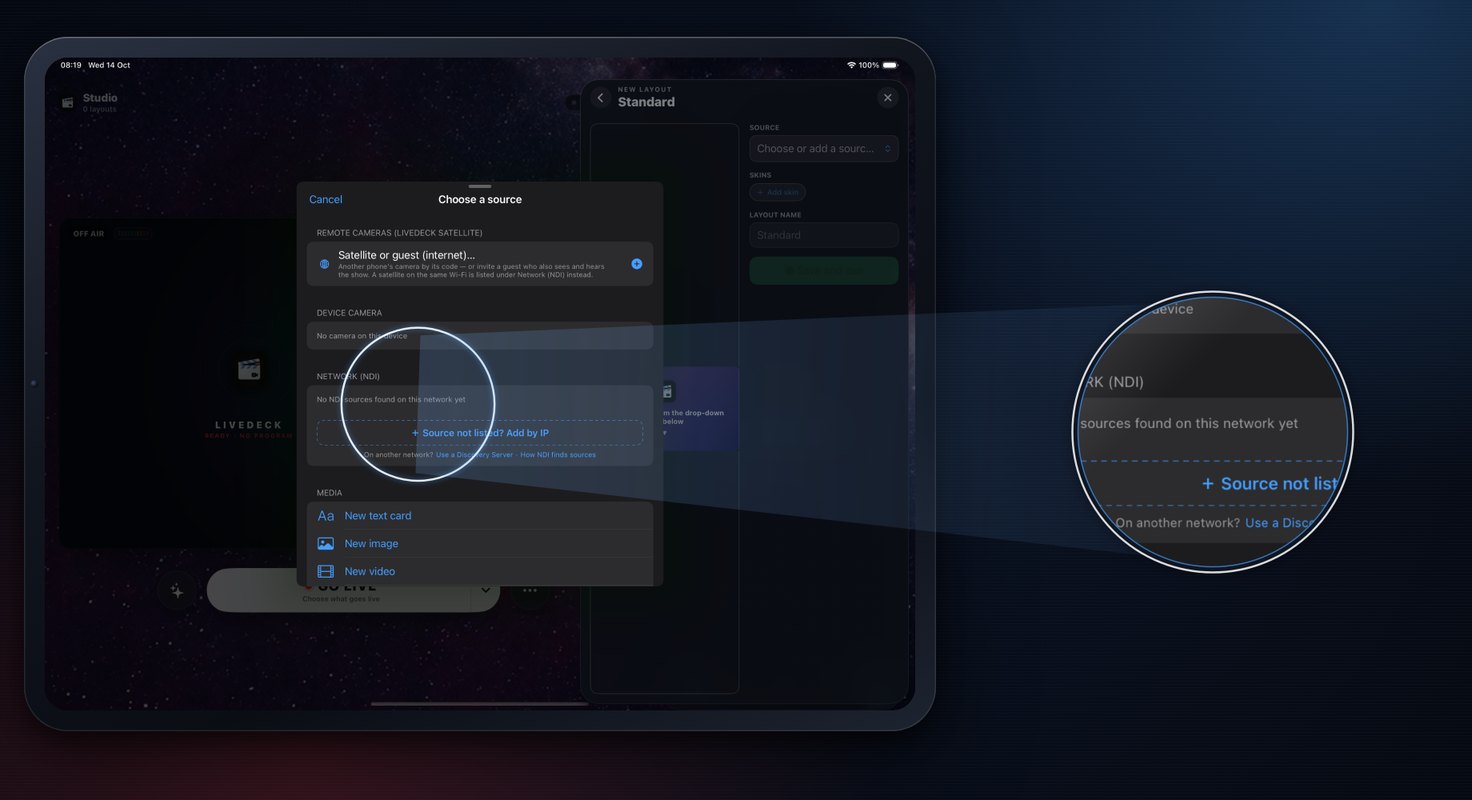
- Tap + → Layouts → Standard → Choose or add a source.
- Under NETWORK (NDI) it says No NDI sources found on this network yet. The camera at 10.0.0.207 is on another subnet — NDI finds sources by itself (mDNS) only on your own network, so a camera on another subnet or VLAN, or behind a router, never shows up.
- Tap Cancel and close the editor.
AndroidThe same — the network list stays empty.
 Step 2 of 5
Open Settings
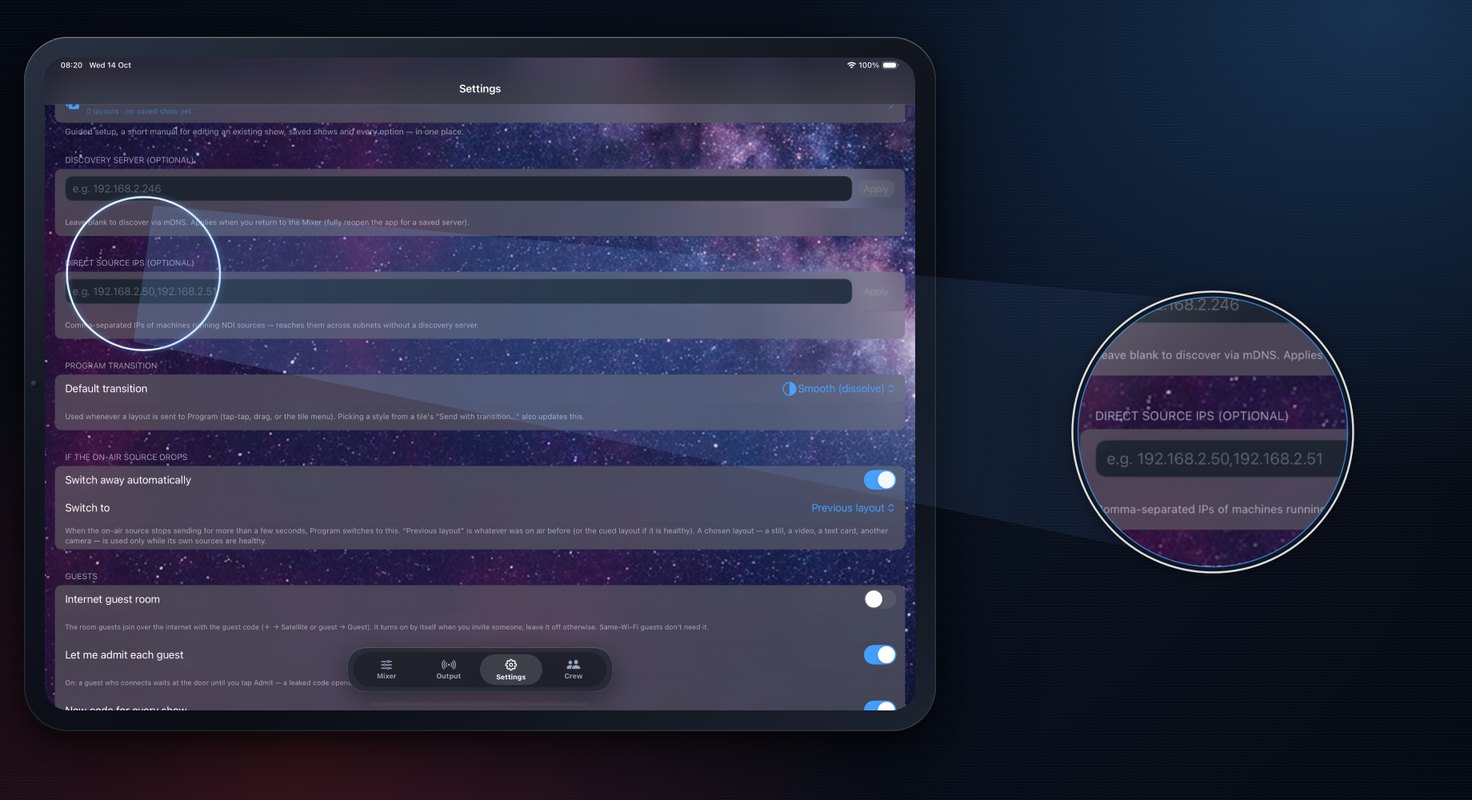
- Tap Settings in the dock.
- Find Direct source IPs (optional) — the field under Discovery server (optional). You don’t need a Discovery Server for this.
- Tap the field (it shows
e.g. 192.168.2.50,192.168.2.51).
AndroidSettings ⚙ → Discovery IPs (comma-separated).
 Step 3 of 5
Type the IP address
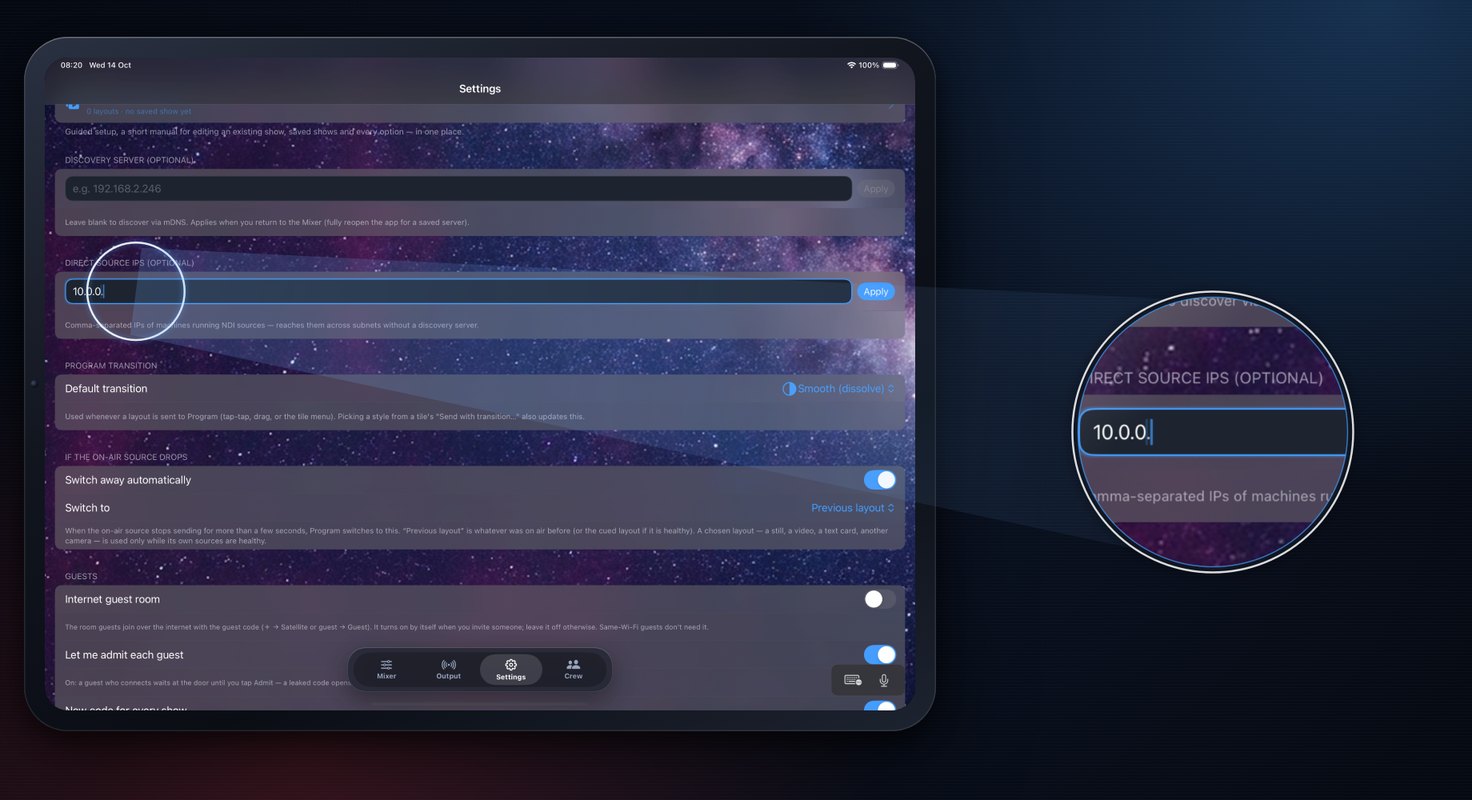
- Type the IP address of the machine that sends the source — here
10.0.0.207. - Tap Apply. LiveDeck asks that machine for its NDI sources directly, across the subnet.
- The address must be reachable from this device (routed between the subnets, not blocked by a firewall).
AndroidType it in the same field and tap Apply — Settings closes.
- Type the IP address of the machine that sends the source — here
 Step 4 of 5
Now it’s there
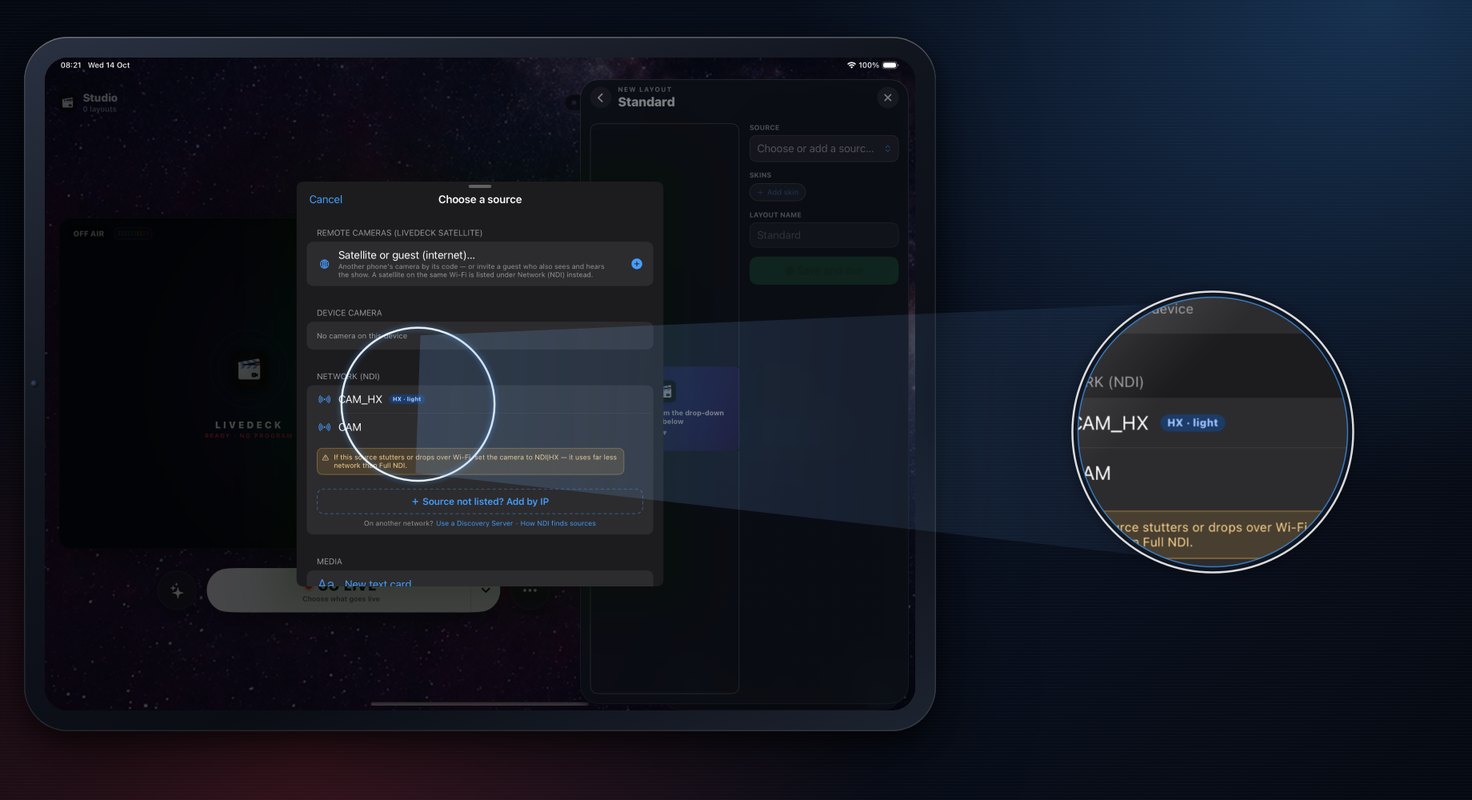
- Back on the Mixer, open the same list: + → Layouts → Standard → Choose or add a source.
- NETWORK (NDI) now lists CAM and CAM_HX — the sources the machine at 10.0.0.207 sends (HX is its lighter stream). Pick CAM.
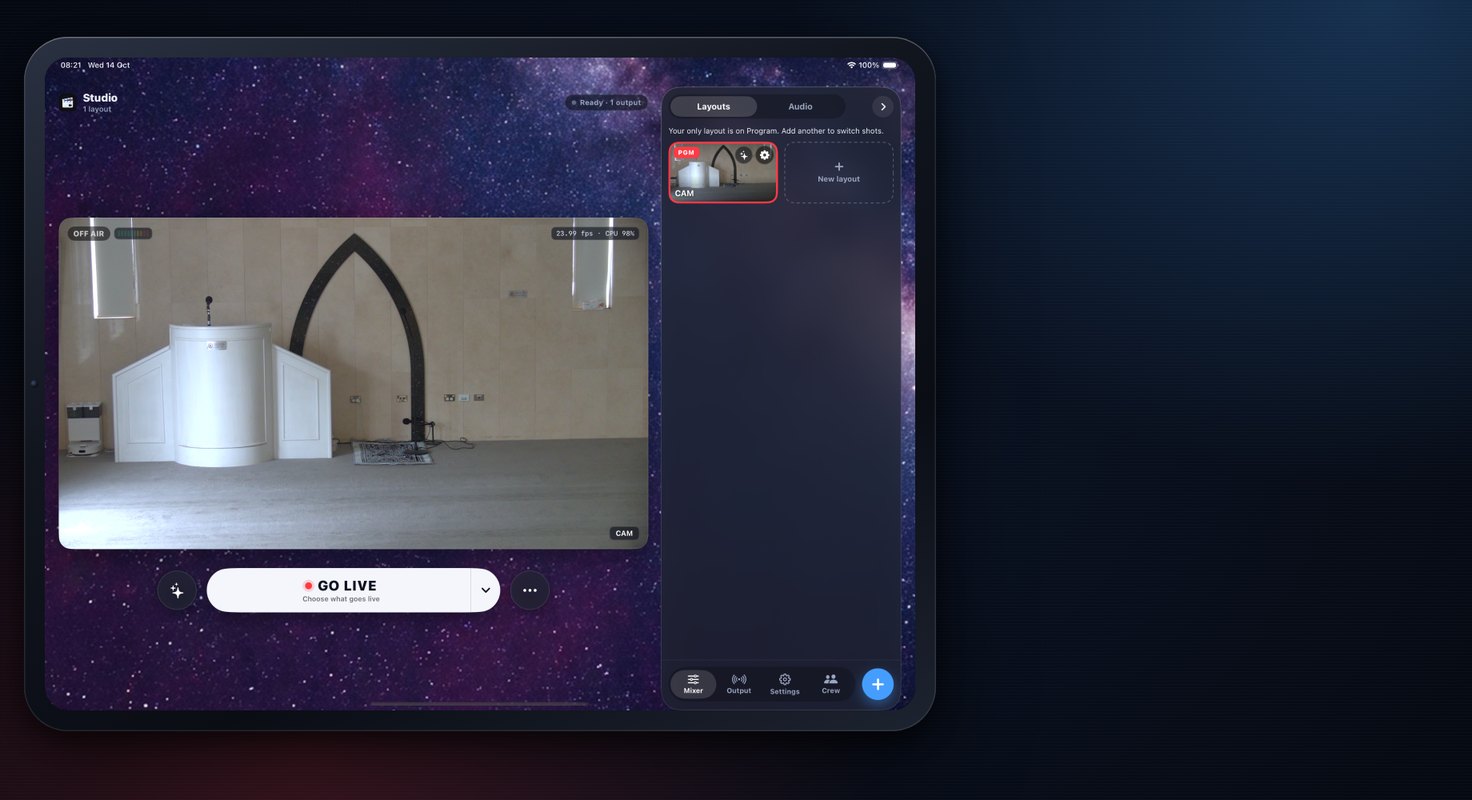
- Tap ● Save and cue, then tap the tile again to take it — red PGM means it’s on Program.
Android+ → Layouts → Standard → SOURCE, the same list.
 Step 5 of 5
More than one?
- Several machines: separate the addresses with commas —
10.0.0.207, 10.0.0.208. - Shortcut: the source list ends with + Source not listed? Add by IP — it saves to the same setting.
- On a big network with many subnets, a Discovery Server (Settings → Discovery server (optional)) is the other way to do it.
AndroidComma-separated in the same field; the source list has the same Add by IP row.
- Several machines: separate the addresses with commas —